Before starting, ensure that GGN or CoC number is registered
Registration of Other Program Site. For this, choose: Type "Sites/PHU and Category "Other Programs (Site)". For a practical example, kindly check: Site & Product registration in CoS
Registration of Scope (Products) based on the Other Program Site creation performed in step 2. For this, choose: Type "Product" and
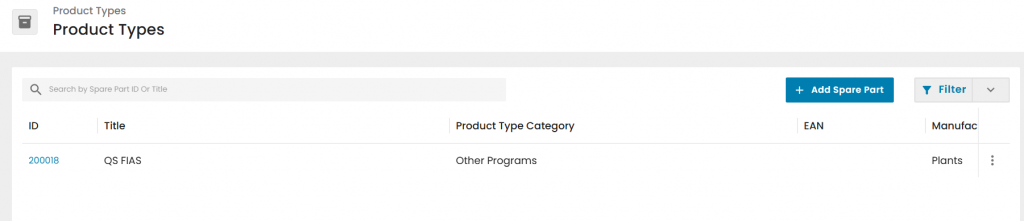
Select Product type: "QS FIAS"
Select the Other Program Site name as "Parent", as registered in step 2
All "Other Program - FIAS reports should be connected to the Audit product category "Fruit & Vegetables."
Once the audit is created, auditors should include in the Scope section the product from steps 3.1
Auditors should answer the form and close the audit
Note that the system will automatically retrieve the "Reviewer" form, Certification decision form, and "Audit general information form" (which collects transportation details). Only the Certification decision form is required, as online certificate data sources are derived from it.
Certificate issuance
Additionally, the official name for the first Other programs product/product category in the system is given below. Remember, only Other Programs products (Bioland, QS FIAS, Fair Trade, etc.) will be shown on the final online certificate under the Site section, defining the scope of the certificate.