
After the audit/assessment is successfully finalised and the audit work order is closed as "Closed compliant",
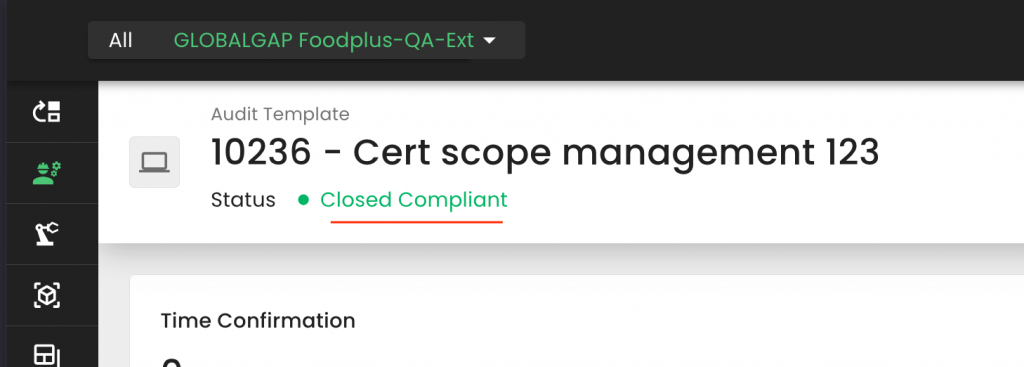
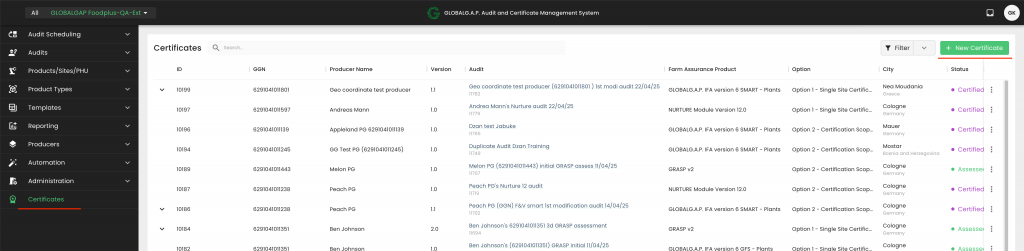
we can issue the certificate/Letter of Compliance (LoC). To do so, we need to go to the certificate section and press on "+ New Certificate":
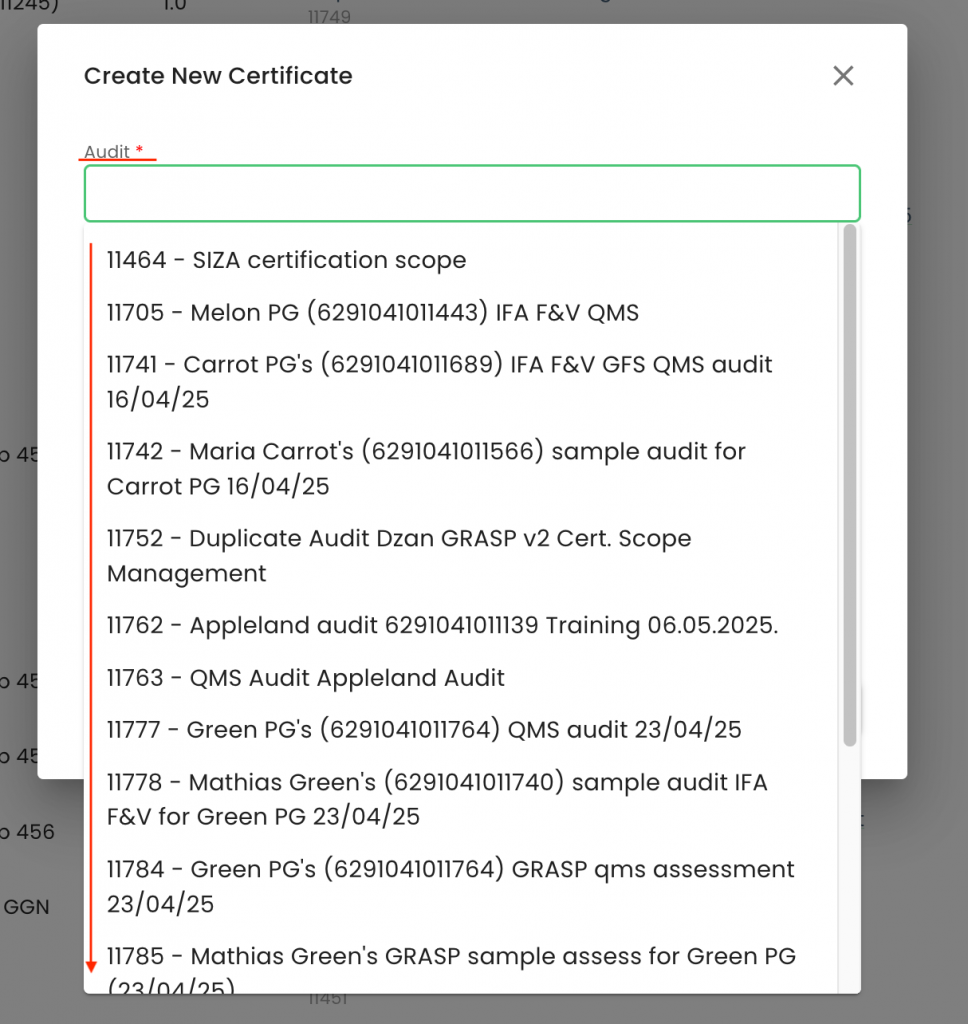
After clicking on the "Audit" field, in the pop-up window, we can select the applicable audit. Please note that here, all your CB's closed-compliant audits/assessments will be listed.
By clicking on the "Status" field, you can select the applicable status.
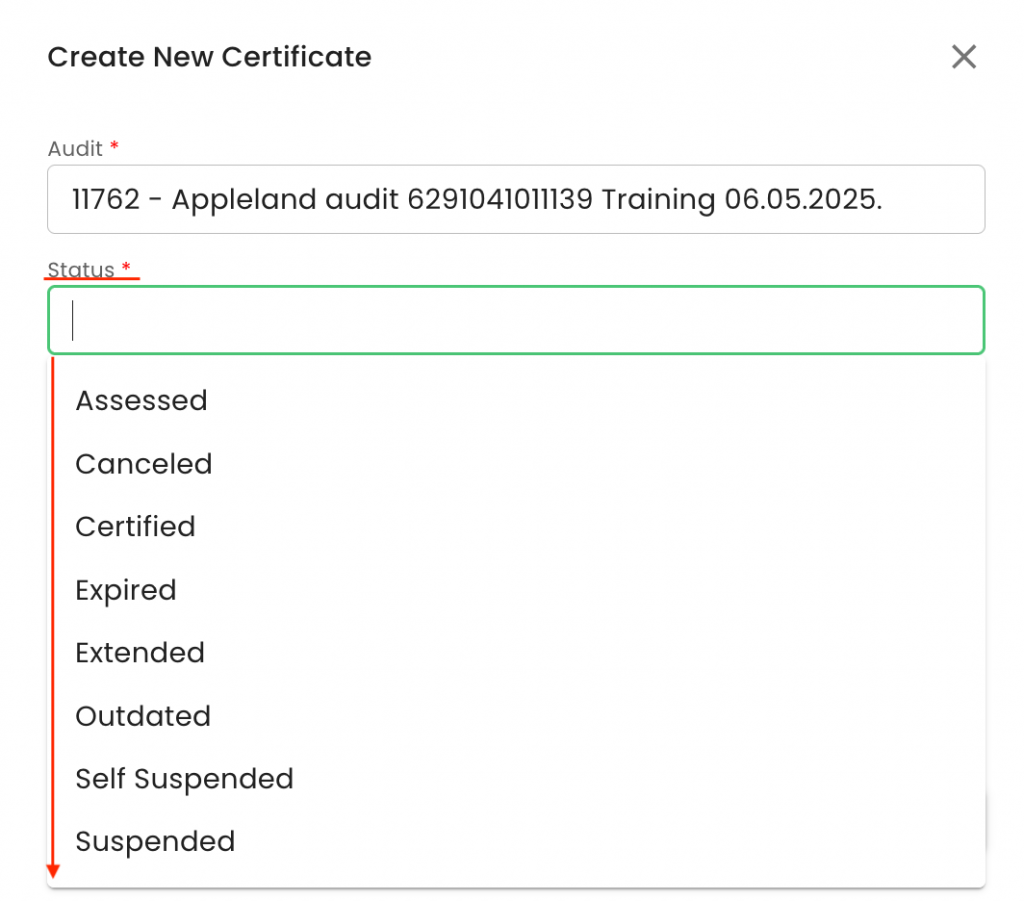
Please note that in case a certificate needs to be issued, the status "Certified" must be selected. In case a Letter of Conformance has to be issued, the status "Assessed" has to be selected.
After selecting the correct work order from the list, please review the “Validity Start Date” and “Validity End Date” of the Certificate/Letter of Conformance to ensure the dates are accurate.
Next, select the relevant Certificate Template (LoC Template) from the dropdown menu.
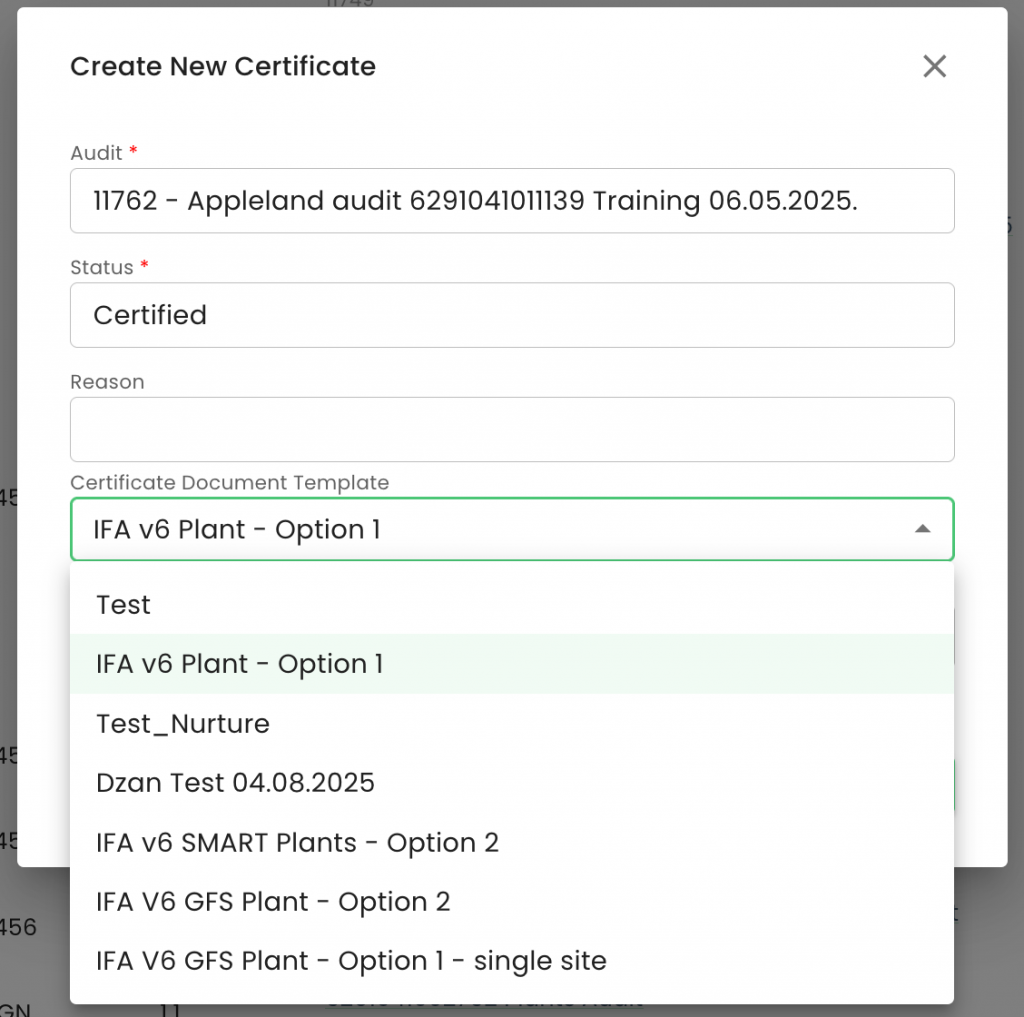
In our example, we have selected "IFA v6 Plant - Option 1"
Then, choose the appropriate Audit Report Template from the corresponding dropdown.
*Note: You may use the Ctrl+F function to search for specific Certificate and Audit Report templates in a dropdown list*
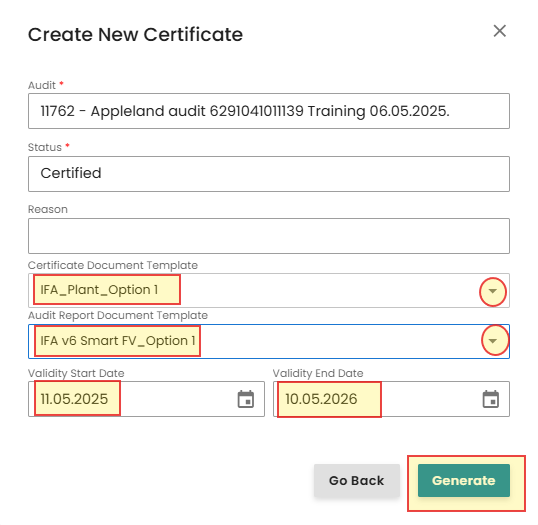
Finally, click the “Generate” button to create the Certificate / Letter of Conformance.